Running the shop
How the shop management side works
Real screens from Ridgeline Cabinet Co., a made-up shop. Tap a picture or its blue button to try it. Nothing you do is saved.
One job, from drawing to paid
The Brandt kitchen from the design side is the job at cutting on this floor, and its balance is in this cash flow. The laundry and the dealer's orders are the same made-up shop's other jobs.
Nothing skips ahead
The crew's phone screen. Try to move the Brandt kitchen past cutting before every part is scanned.
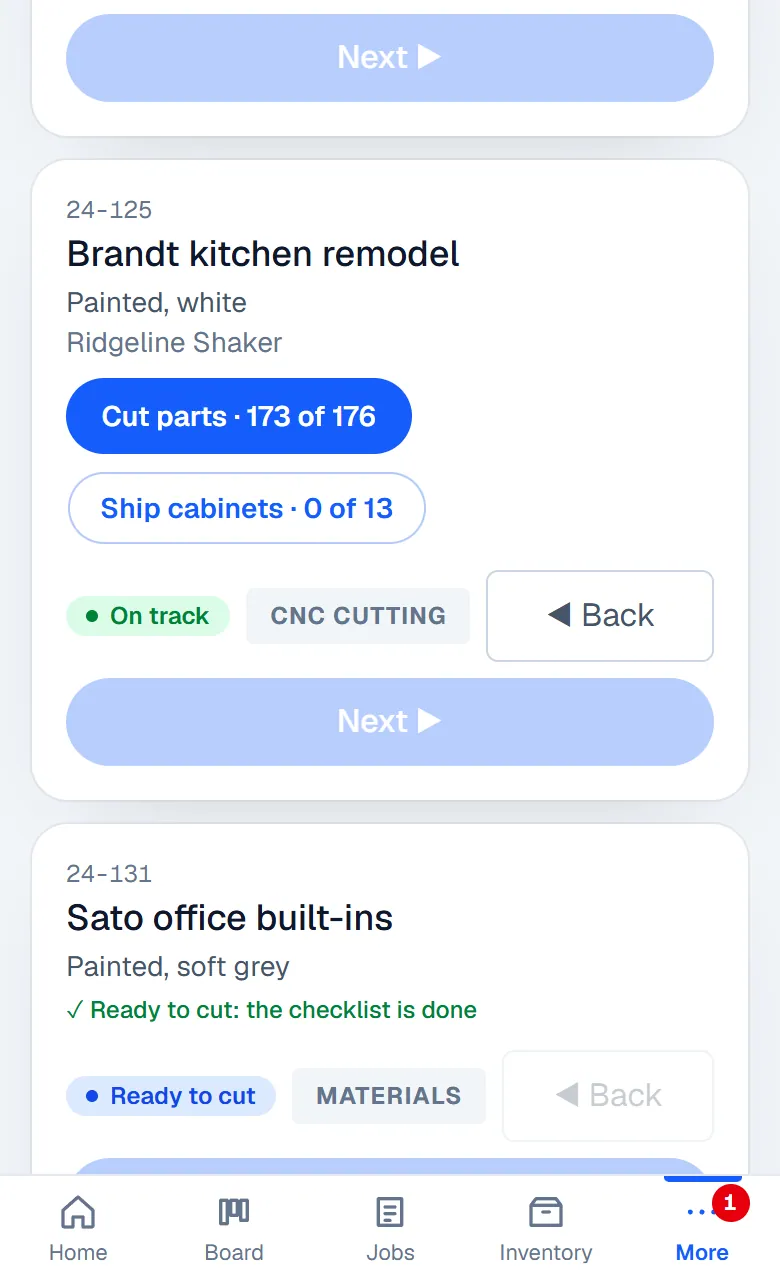
- Next on the Brandt kitchen at cutting is greyed out: three parts are still to scan, and the app names them.
- Scan the three parts it names. Now Next works.
- A laundry at packing won't ship until its last two cabinets are photographed. Photograph them and it goes.
Every part is scanned before a job leaves cutting, and every cabinet is photographed before it ships, without anyone having to check.
Your steps, your pace
The real step editor. Slow CNC cutting to 15 cabinets a day, add a paint booth, make the job bigger, and watch the dates slide.
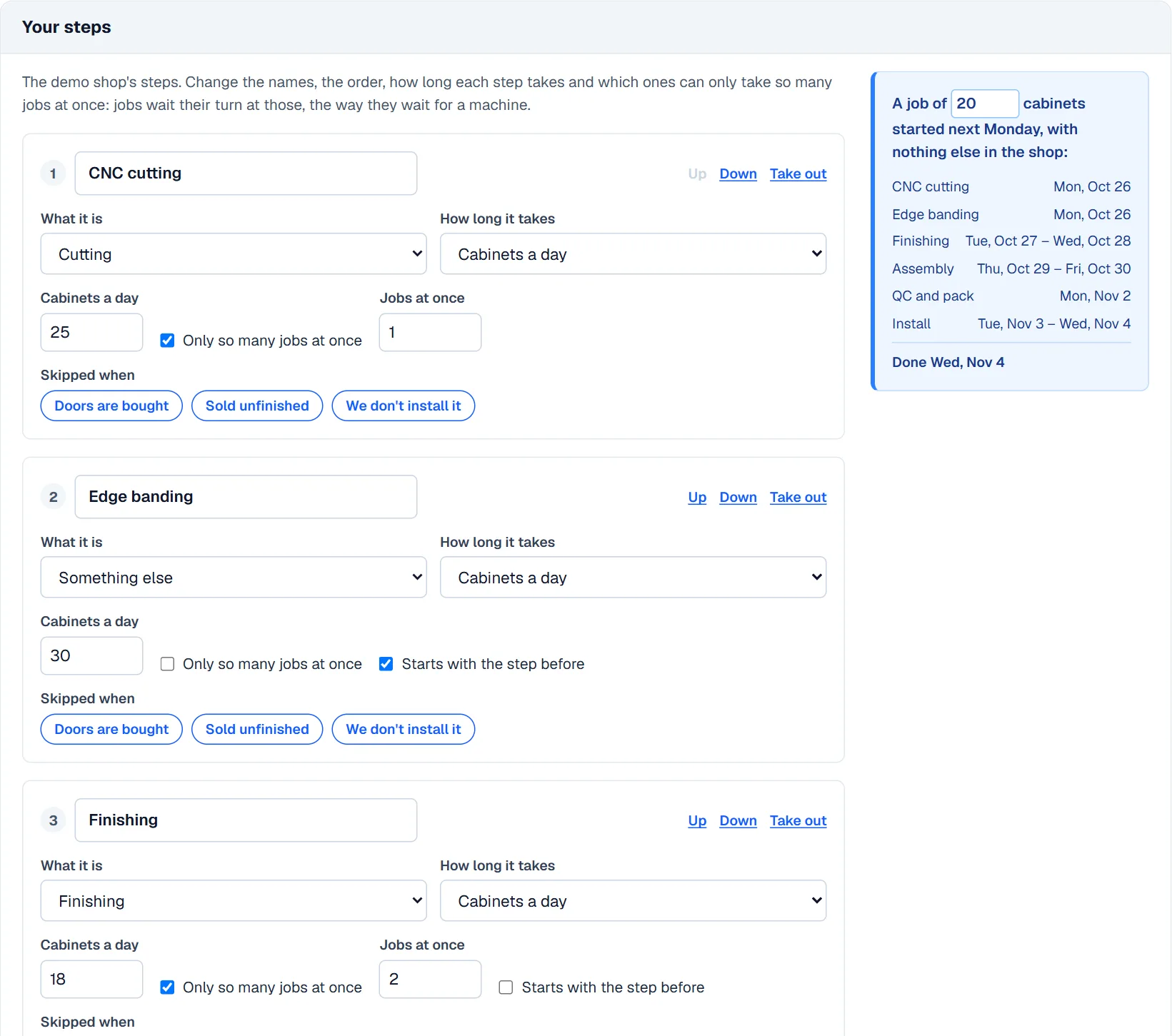
Your steps, not a fixed list, and the same steps run the board, the calendar, the time clock and the money.
Set up your dealers
Your office on the left, your dealer on the right (one side at a time on a phone). Pick one of the two ways a dealer sends you work, then tap the blue spot to go on.
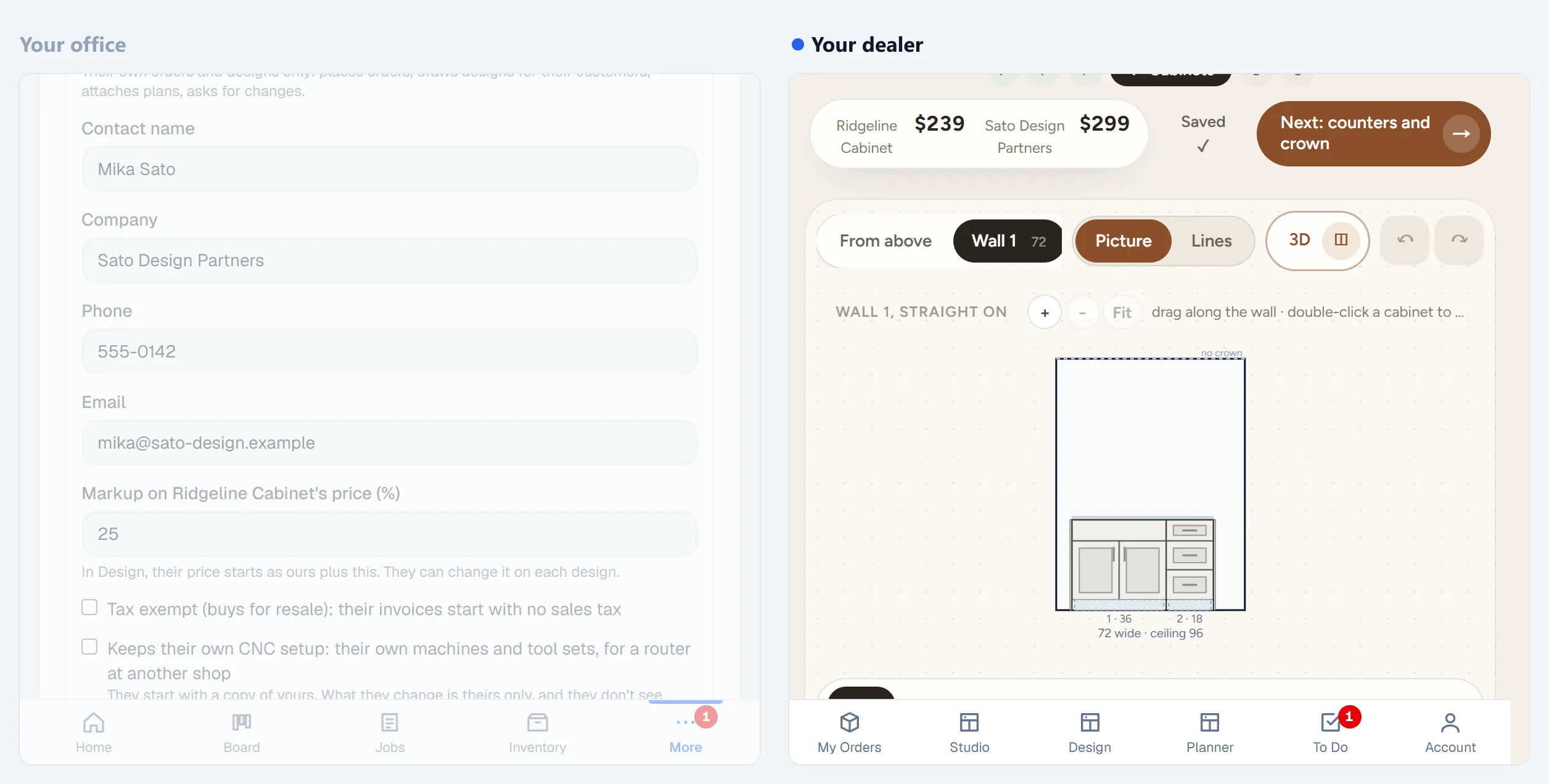
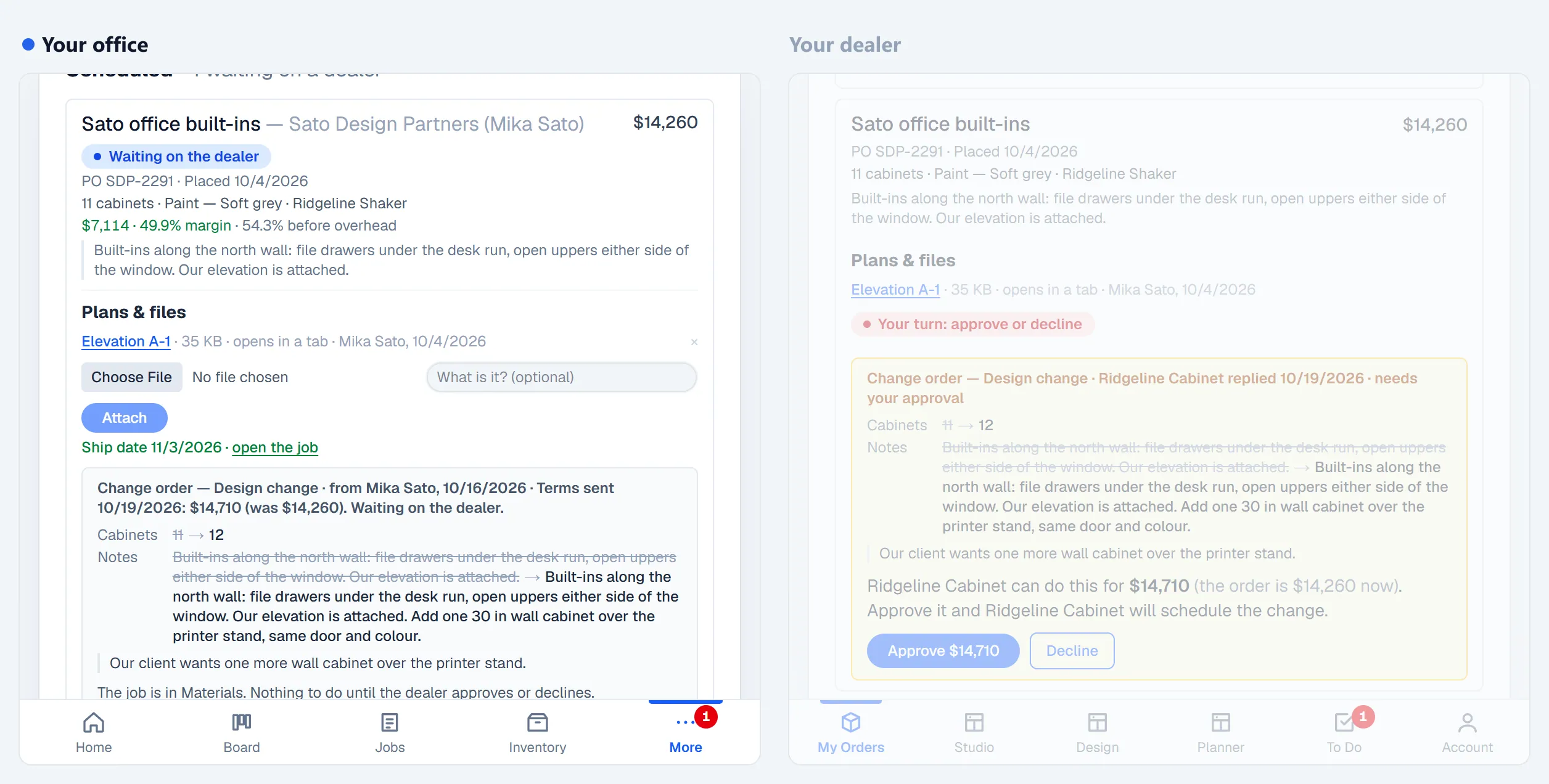
Each dealer gets a login of their own, with their markup. They design in the same room designer you use, or send their own drawings, and you schedule the work.
Cash flow, thirteen weeks out
Tap a week to see what comes in (deposits and balances) and what goes out (payroll, bills and orders), then this week on the Home screen.
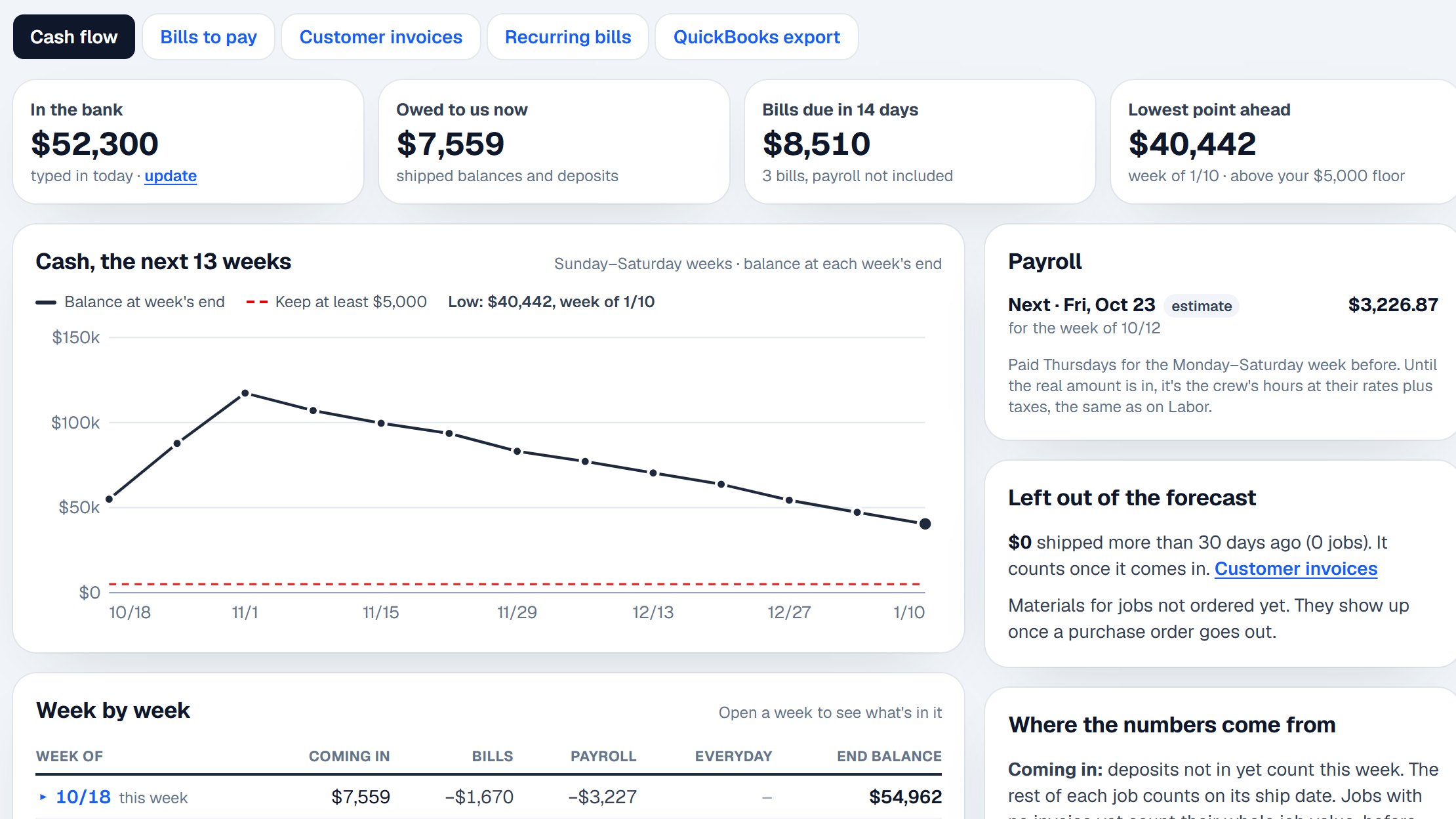
A forecast that works alongside QuickBooks: you see the tight week coming, and which jobs' balances land when.