A schedule you can trust
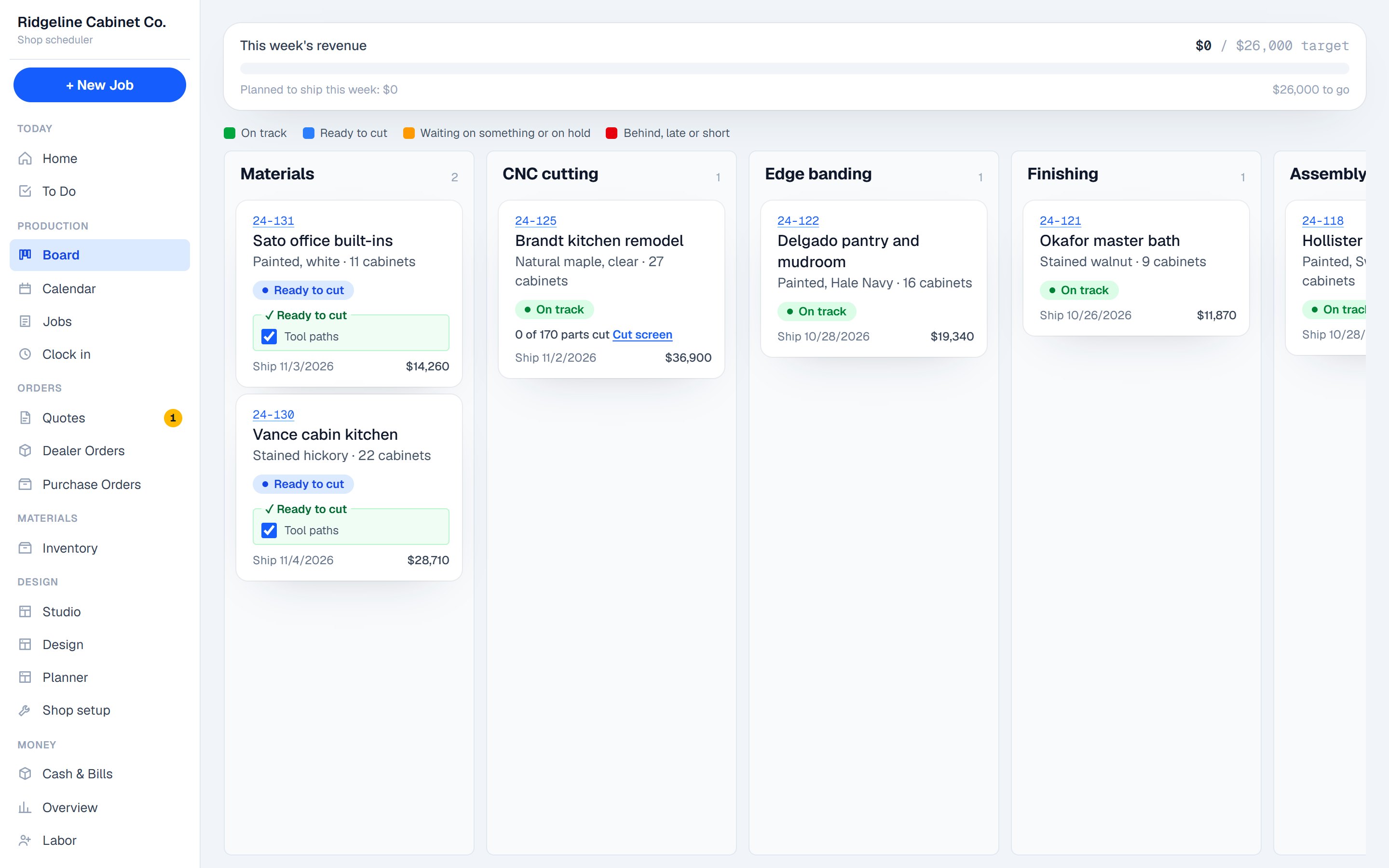
Every job gets dates for every step, around the jobs ahead of it, your machines and your week.
For cabinet shops
3D design, nesting and labels, the schedule, the shop floor and your cash flow, built around how your shop works.
Most shops juggle a design program, a CNC program, a spreadsheet and a whiteboard. Dadoboard is all of them, sharing one job.
Every job gets dates for every step, around the jobs ahead of it, your machines and your week.
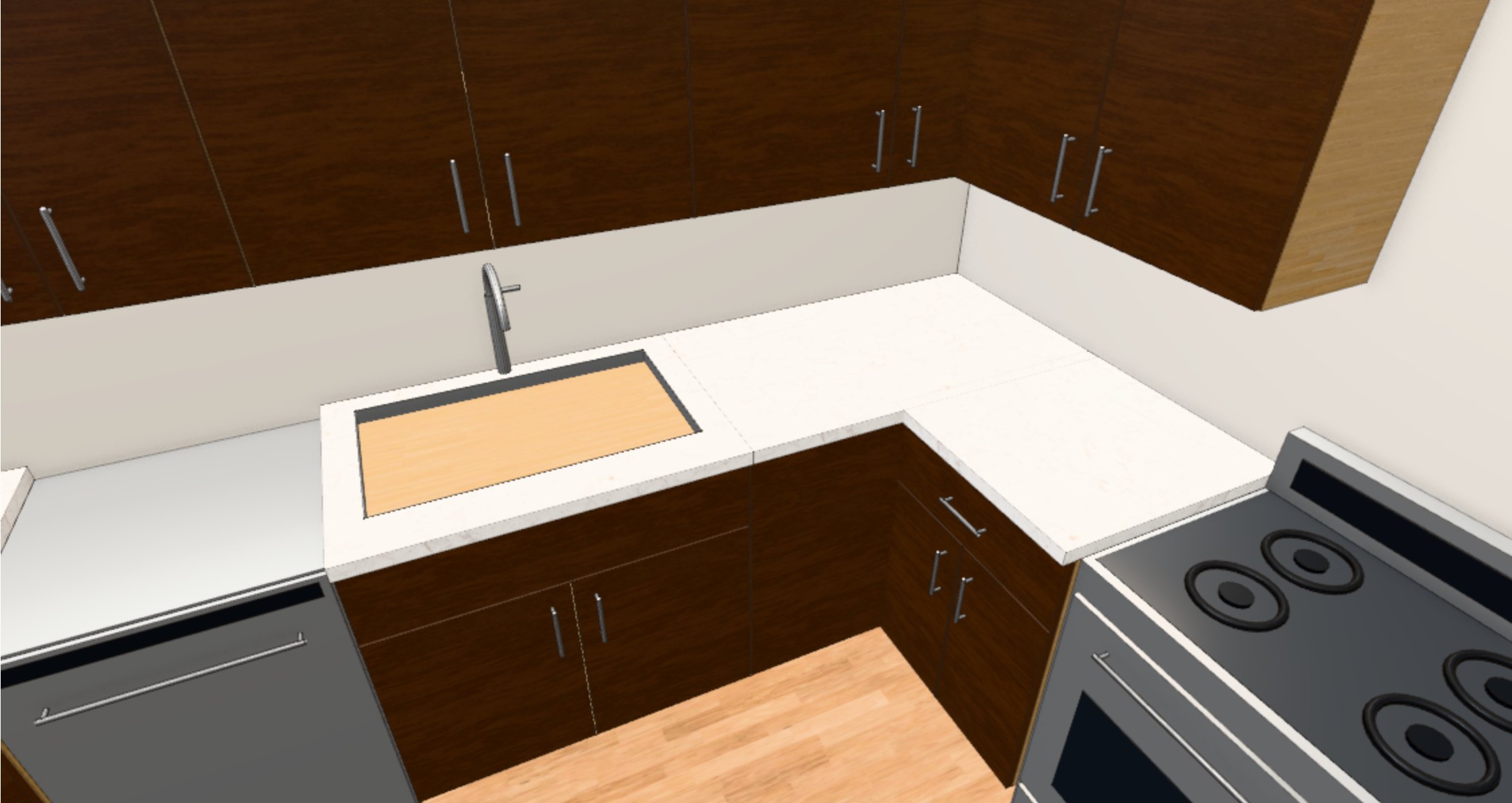
Draw the room, see it in 3D, and the customer approves it from a link.
Every sheet nested, CNC files written, a label on every part.
The crew moves jobs, scans parts and photographs every cabinet.
Build any part or assembly in 3D and use it in every job.
A margin check on every quote, deposits, and invoices the customer opens and signs from a link.
Deposits and invoices coming in, payroll and bills going out, and what has to ship this week to hit your number.
What each step really takes, a weekly scorecard, and what remakes cost you.
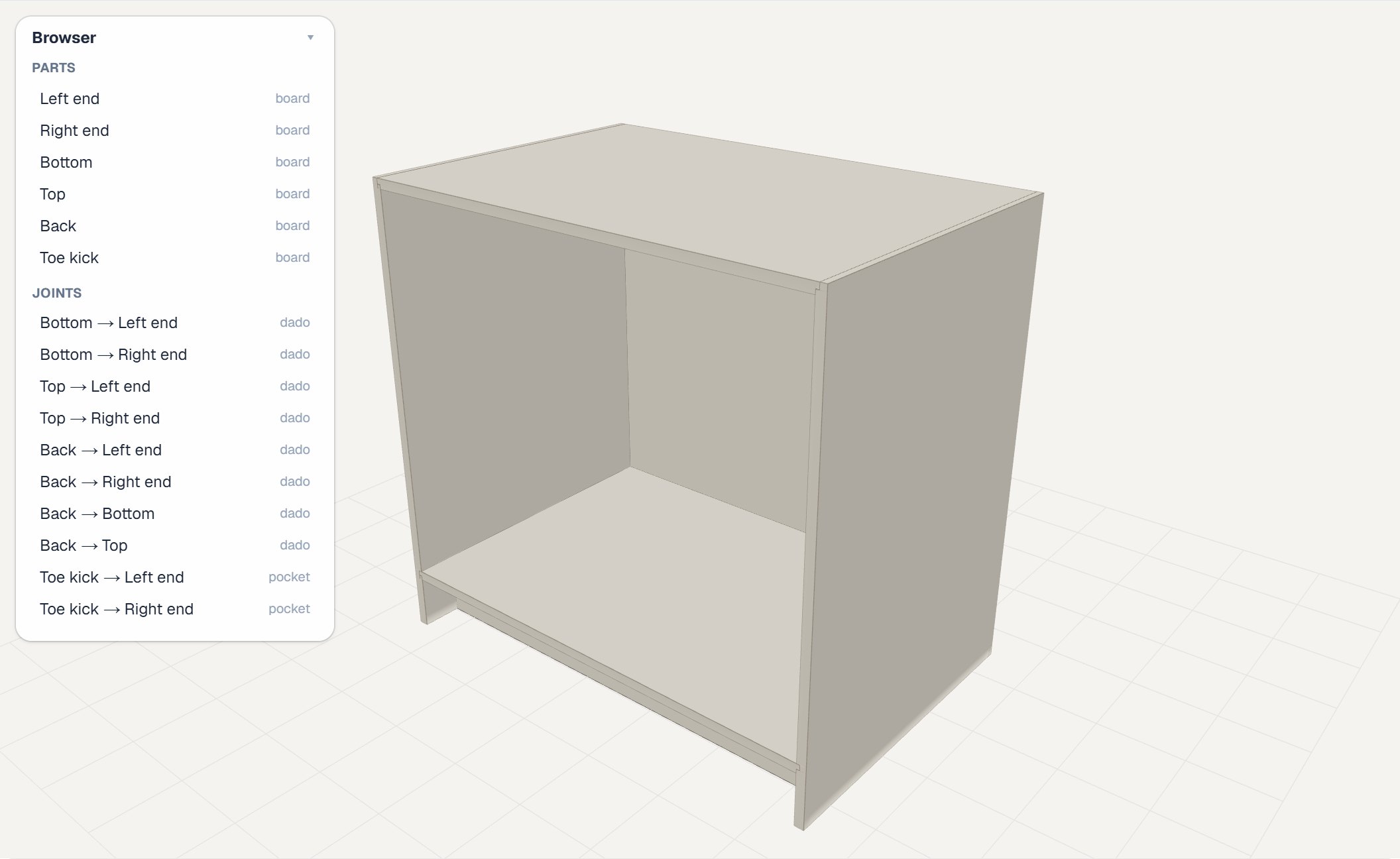
Set up your cabinet lines, construction and hardware once. Then design rooms in 3D, and when a job needs something special, build the part or the whole assembly yourself in the workshop.
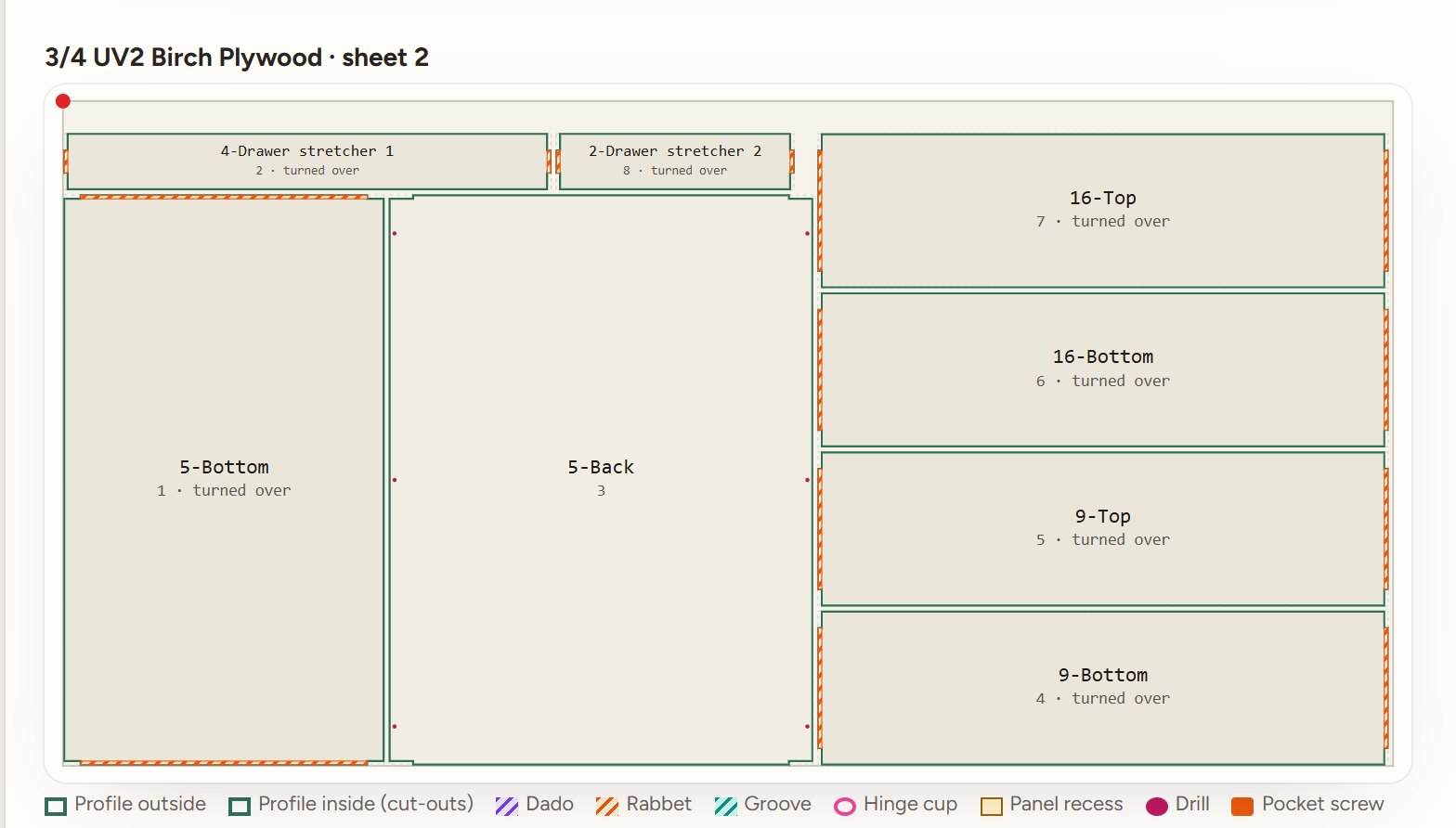
Parts nested on your sheet sizes, with the CNC files written for your router. Saw shops get cut lists.
A label for each part, scanned off the machine so nothing goes missing between cutting and assembly.
A damaged part goes back in the next nest, and the remake is counted against the job.
A CNC shop and a shop with two sliders don't build the same way. The setup asks how you cut, what you build and whether you install, then lays out your steps in your order.
Time each step your way, limit how many jobs a step takes at once, and skip finishing or install for the jobs that don't need it.
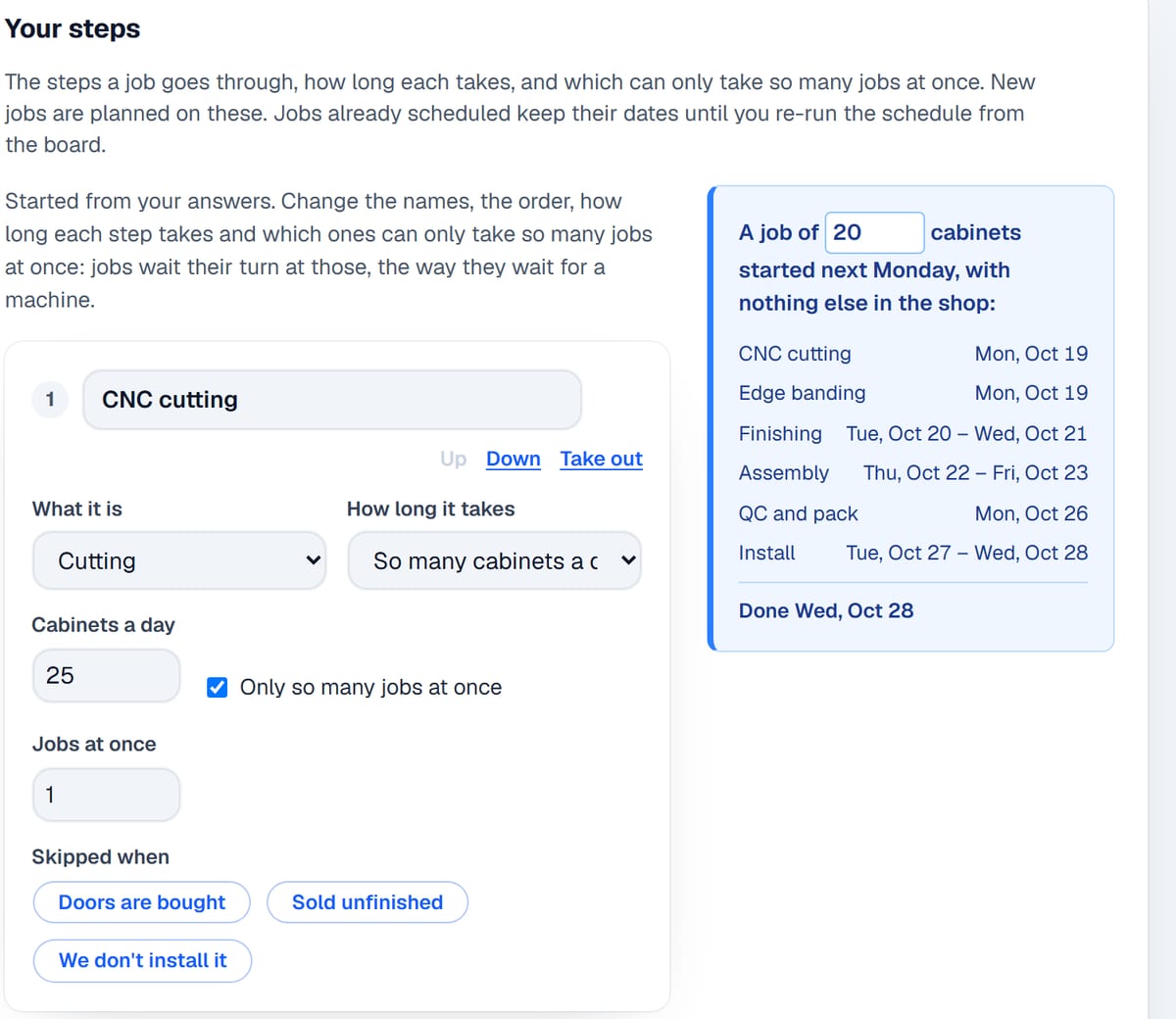
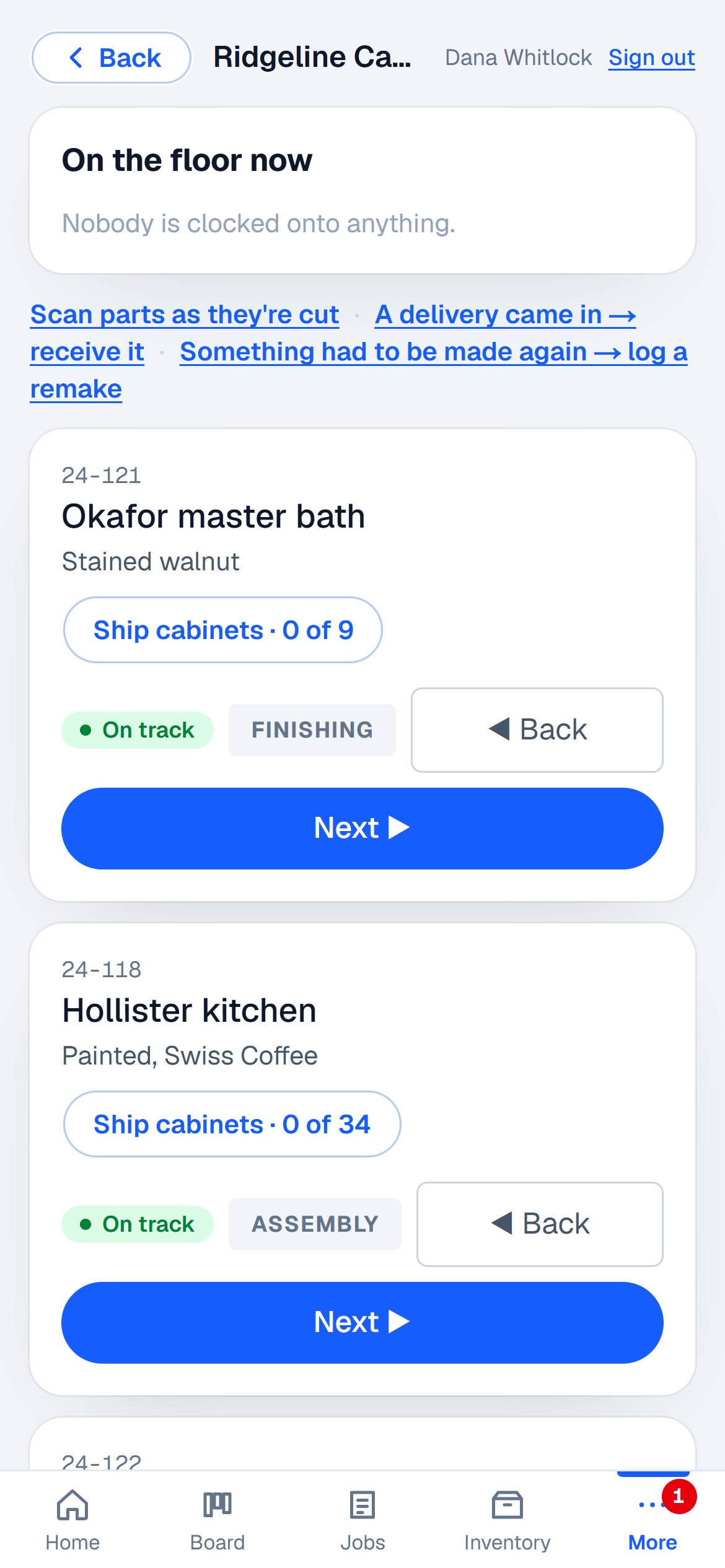
Nothing skips ahead. A job can't go to cutting until its checklist is done, can't leave cutting until every part is scanned, and can't ship until every cabinet is photographed.
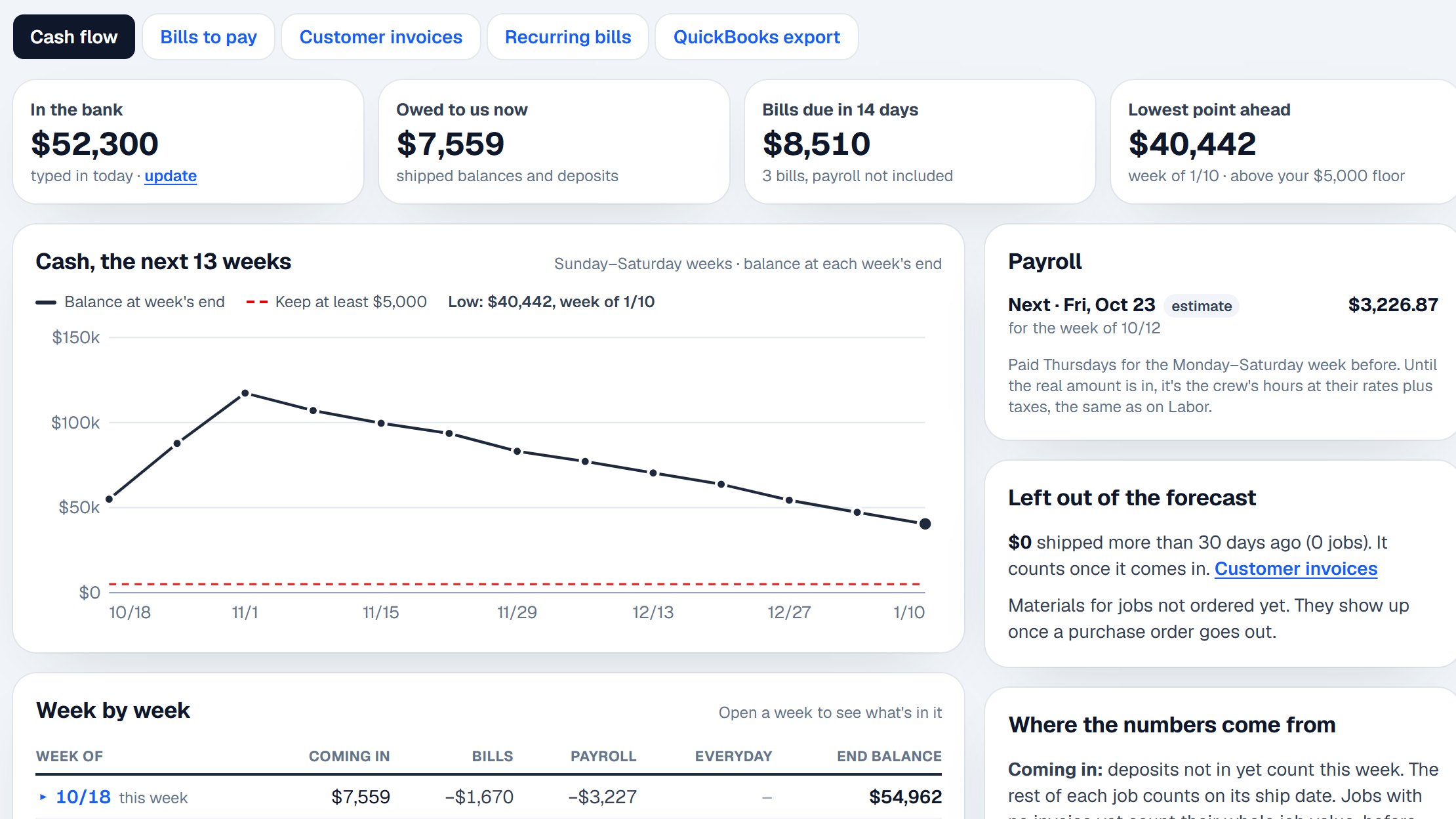
Deposits, invoices, payroll and bills laid out week by week, so a slow month shows up before it hits the bank.
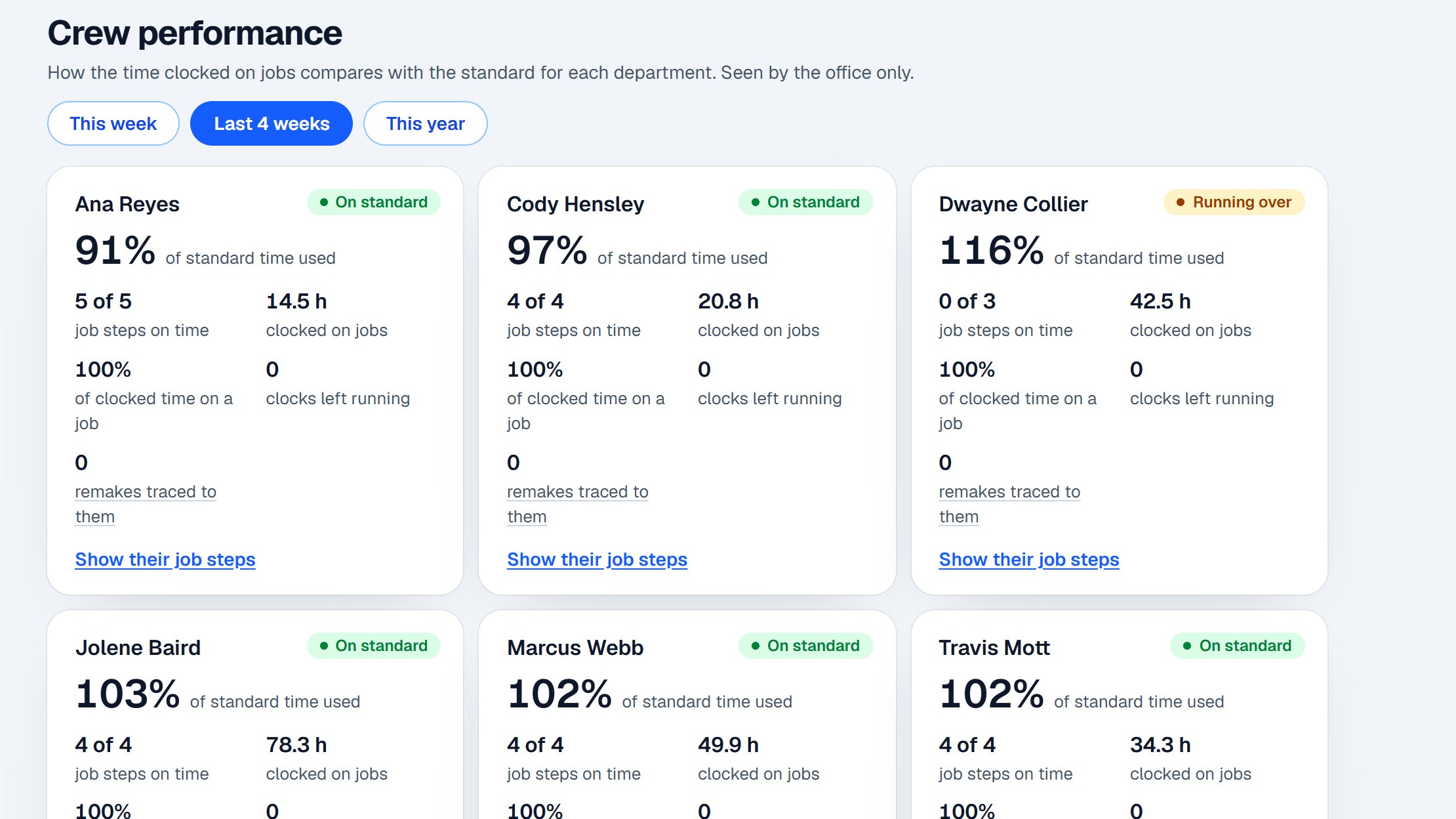
Hours against what each step should take, a weekly scorecard, and remakes traced back to where they started.
Our competition
Most shops pair a design and CNC program with separate shop management software, then fill the gaps with spreadsheets. Here's how that compares.
| Feature | Dadoboard | Design and CNC software | Shop management software | Whiteboard and spreadsheets |
|---|---|---|---|---|
| Designing and making | ||||
| 3D design, customer approves from a link | Yes | Yes | No | No |
| Build your own parts and assemblies | Yes | Yes | No | No |
| Nesting, CNC files and part labels | Yes | Usually, often as add-ons | No | No |
| Running the shop | ||||
| A schedule built on your own steps | Yes | Rarely | Yes | By hand |
| Shop floor on a phone, parts scanned | Yes | Rarely | Sometimes | No |
| Quotes, deposits and invoices | Yes | Sometimes | Yes | By hand |
| Money and people | ||||
| Cash flow, week by week | Yes | No | Rarely | By hand |
| Crew time and performance | Yes | No | Sometimes | No |
Based on the kinds of software cabinet shops commonly use; every product differs, so ask any vendor for specifics. Dedicated design programs have had years to grow their drawing tools. Dadoboard is for running the whole shop from one job.
Dadoboard was written inside a cabinet shop in West Virginia, to run its own designs, schedule, floor and books, and it has run that shop every day since. Now it's set up so other shops can run theirs the same way.
Free during the beta, no card. Before it ends you'll hear the price and decide then.